









STATSMAN - Your game, on the record.
STATSMAN
Loading...
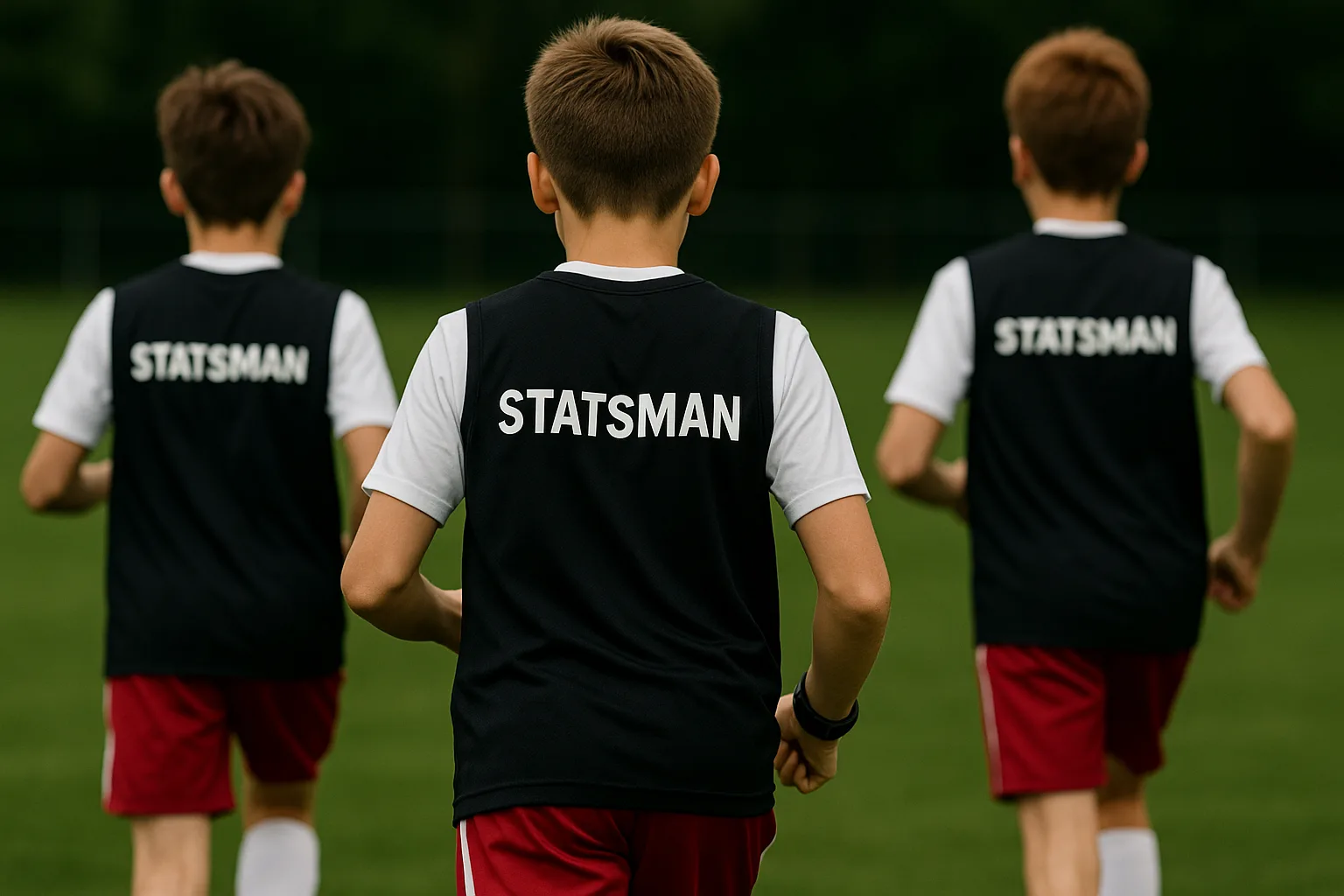
Junior footballers running on the pitch in STATSMAN bibs

Your growth, on the record.
Turn every match into a keepsake.

Pro-style tracking with an Apple Watch.
No social feeds. No strangers.
Just your family and the data.

Play. Evolve. Measure the Truth...
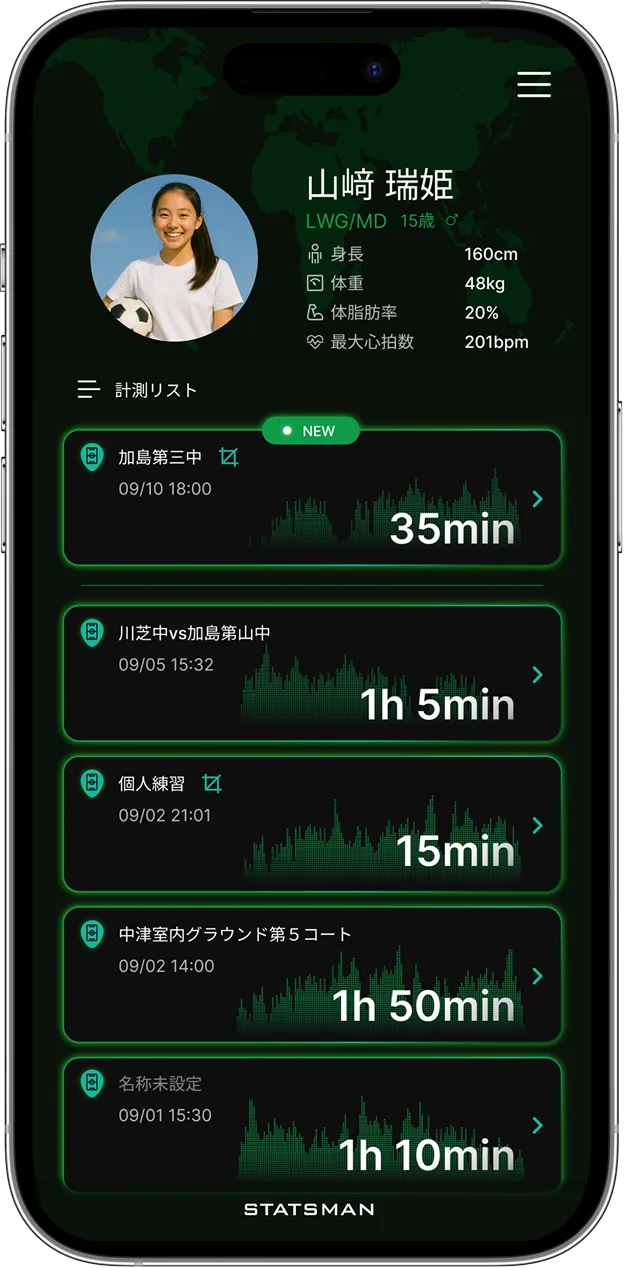
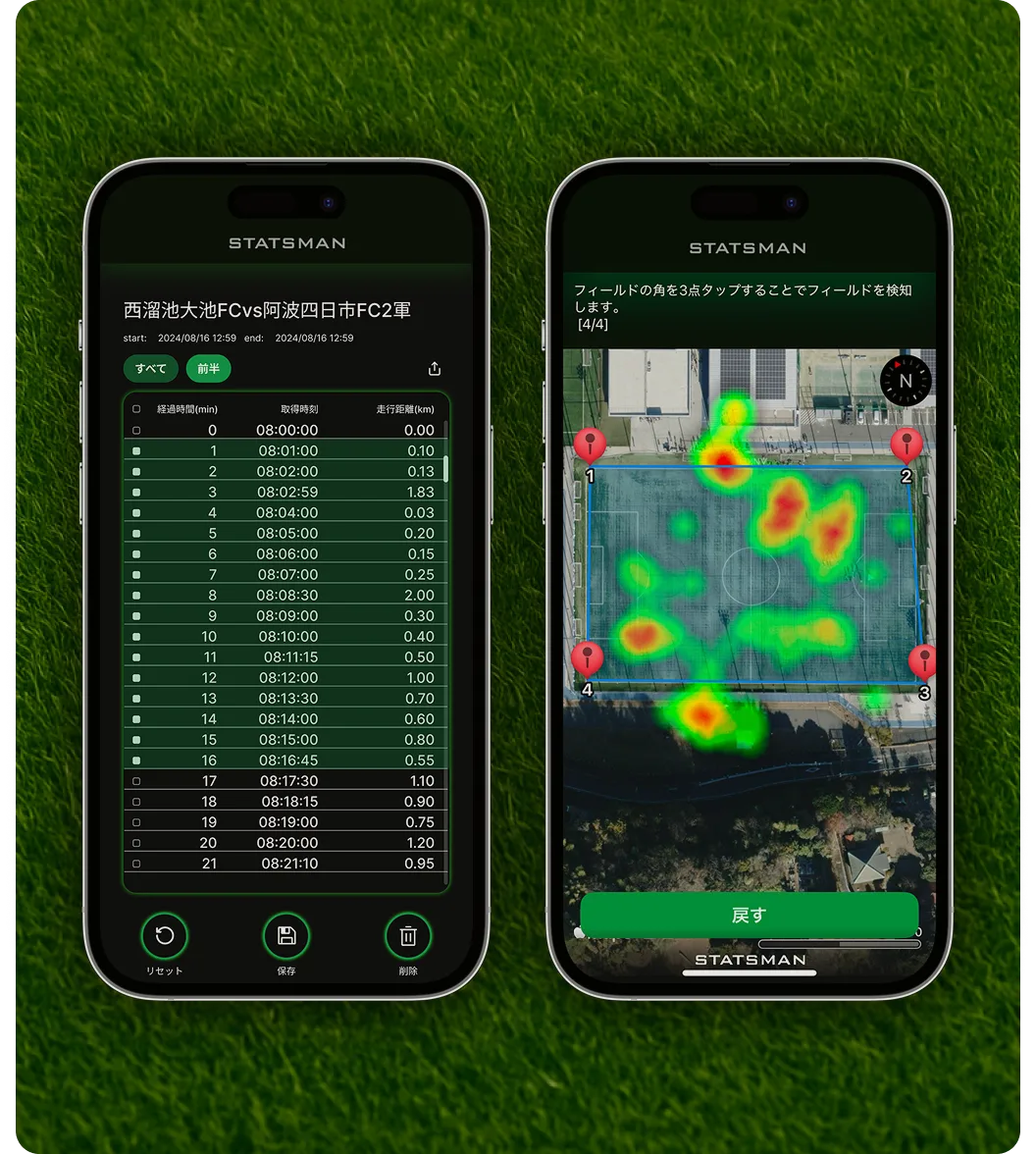
STATSMAN app measurement screen Apple Watch showing STATSMAN
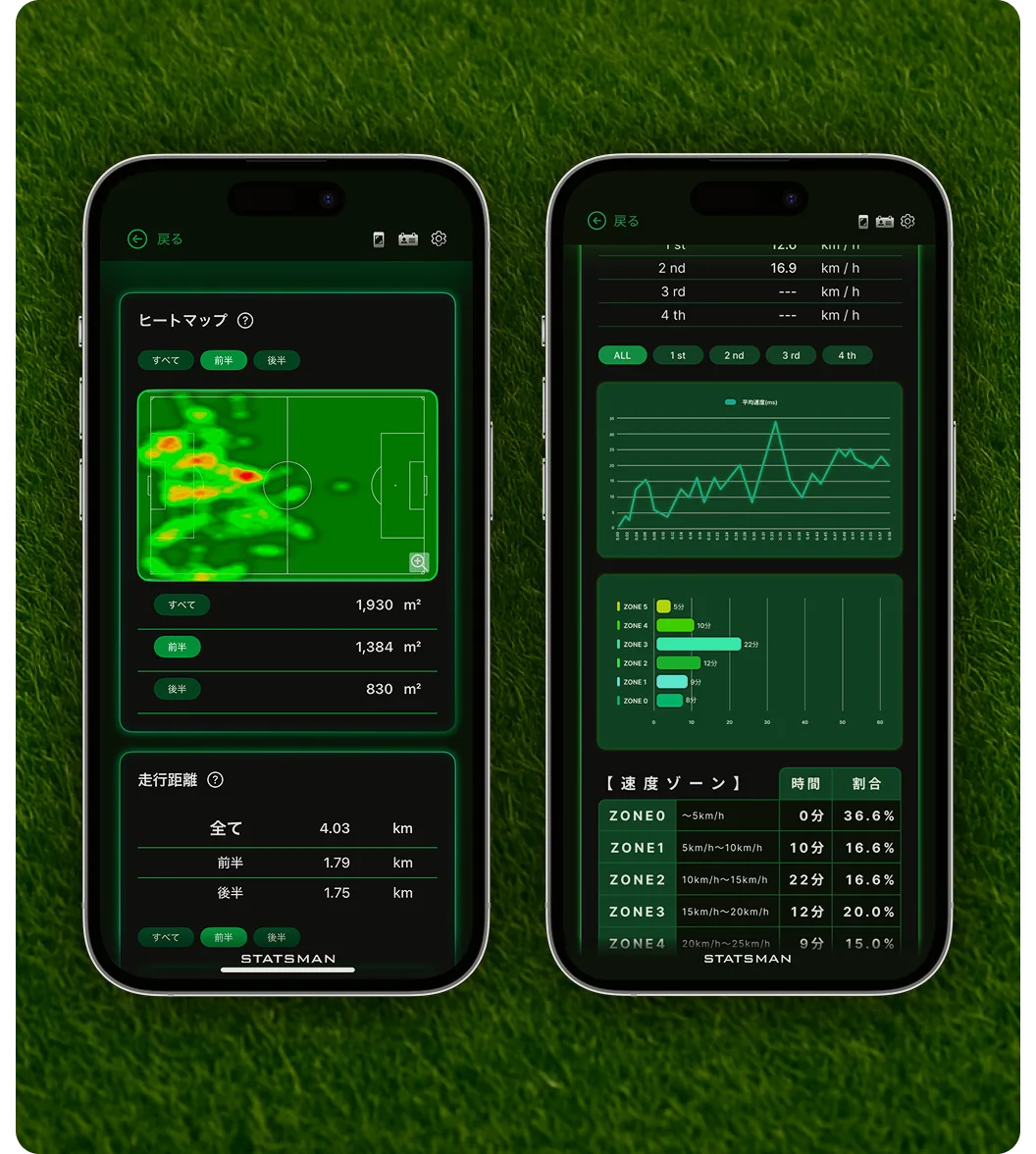
STATSMAN app screen STATSMAN app screen
Scroll Indicator
Junior footballers running on the pitch in STATSMAN bibs
STATSMAN

Your growth, on the record.
Turn every match into a keepsake.

Pro-style tracking with an Apple Watch.
No social feeds. No strangers.
Just your family and the data.

Play. Evolve. Measure the Truth...
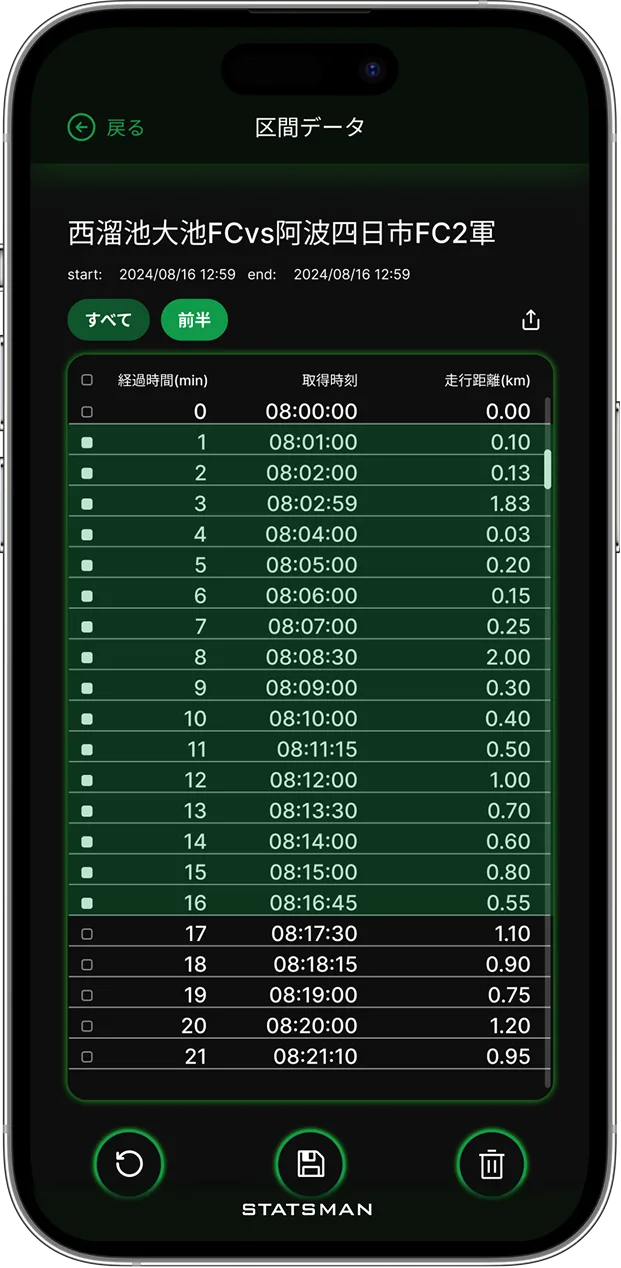
Tracking Top Tracking Bottom
SCROLL

Every football family knows these struggles — sound familiar?

CASE.1
Problem 1

A watch on the wrist feels risky in contact play — for your child and everyone else.

Background Decoration
CASE.2
Problem 2

Performance data should belong to the player — not get lost in someone else’s platform.

Background Decoration
CASE.3
Problem 3

You want heart rate and workload made visible — to prevent injuries and guide development.

Background Decoration
CASE.4
Problem 4

You want to relive matches through GPS — where they ran, and how fast.

Background Decoration
CASE.5
Problem 5

Ever tried describing last season from memory? It never quite lands.

Background Decoration

Playing by feel ends here.
STATSMAN turns it into data.

Move Image

Every football family
knows these struggles — sound familiar?

CASE.1
Problem 1

A watch on the wrist feels risky in contact play — for your child and everyone else.

Background Decoration
CASE.2
Problem 2

Performance data should belong to the player — not get lost in someone else’s platform.

Background Decoration
CASE.3
Problem 3

You want heart rate and workload made visible — to prevent injuries and guide development.

Background Decoration
CASE.4
Problem 4

You want to relive matches through GPS — where they ran, and how fast.

Background Decoration
CASE.5
Problem 5

Ever tried describing last season from memory? It never quite lands.

Background Decoration

Playing by feel ends here.
STATSMAN turns it into data.

Move Image
Circle Point
00 SECONDS
Seconds Image
Seconds Image
15 SECONDS
Seconds Image
30 SECONDS
45 SECONDS
Seconds Image
STATSMAN Training Gear
ABOUT US
About STATSMAN
STATSMAN

STATSMAN changes what’s possible.

Everything you need to break down a game, built in.
Analyze. Verify. Improve. One app, zero friction.
FEATURES
Features
STATSMAN feature 1
01. What is STATSMAN
Wear an Apple Watch in the sports vest, and STATSMAN captures heart rate, workload, and GPS — automatically.
STATSMAN feature 2
02. Interval selection
Zoom into the moments that matter — select up to four intervals from any session.
STATSMAN feature 3
03. Heatmap view
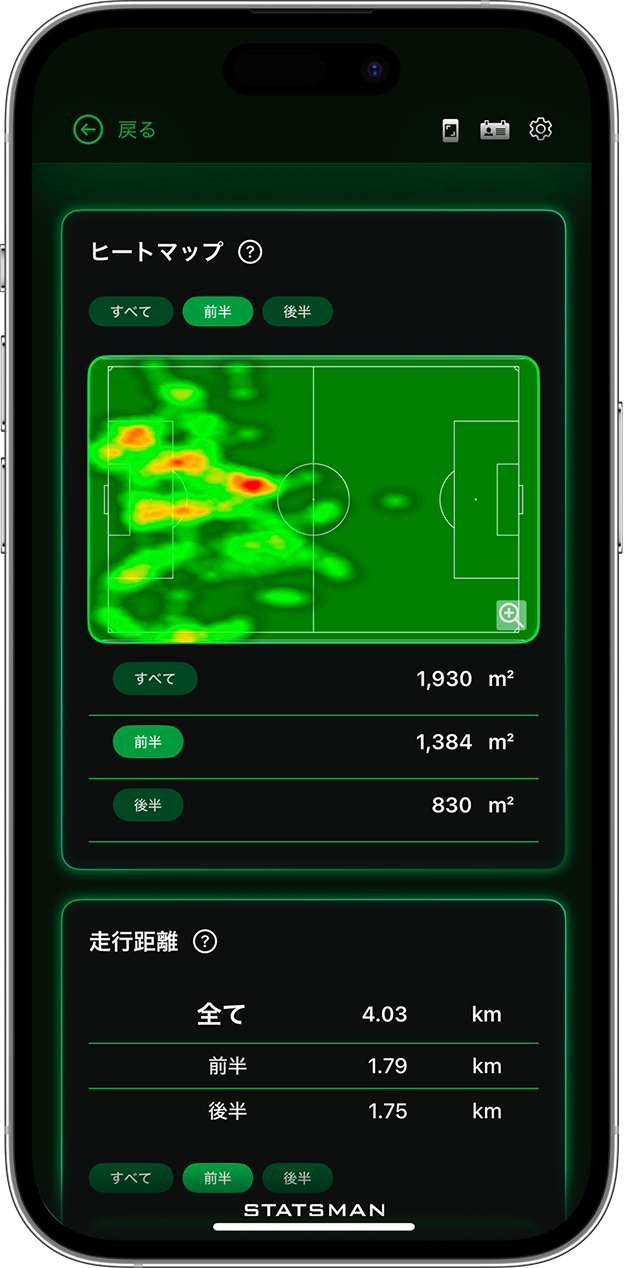
See the game, not just numbers — heatmaps show exactly where you played.
STATSMAN feature 4
04. Data display
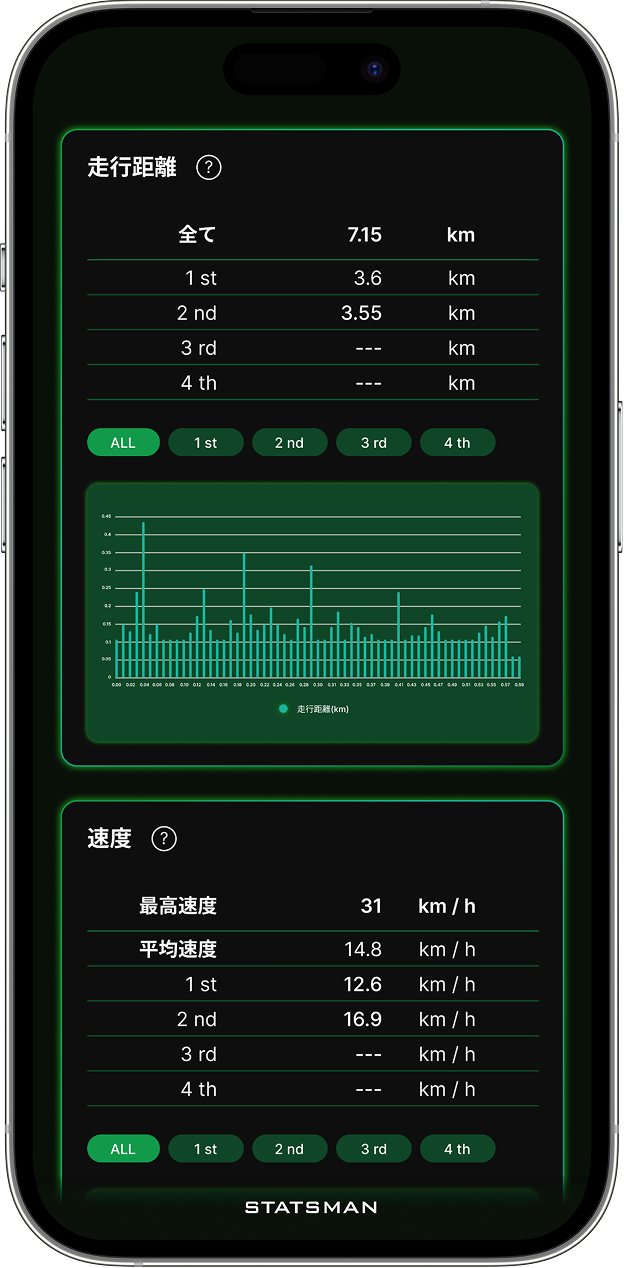
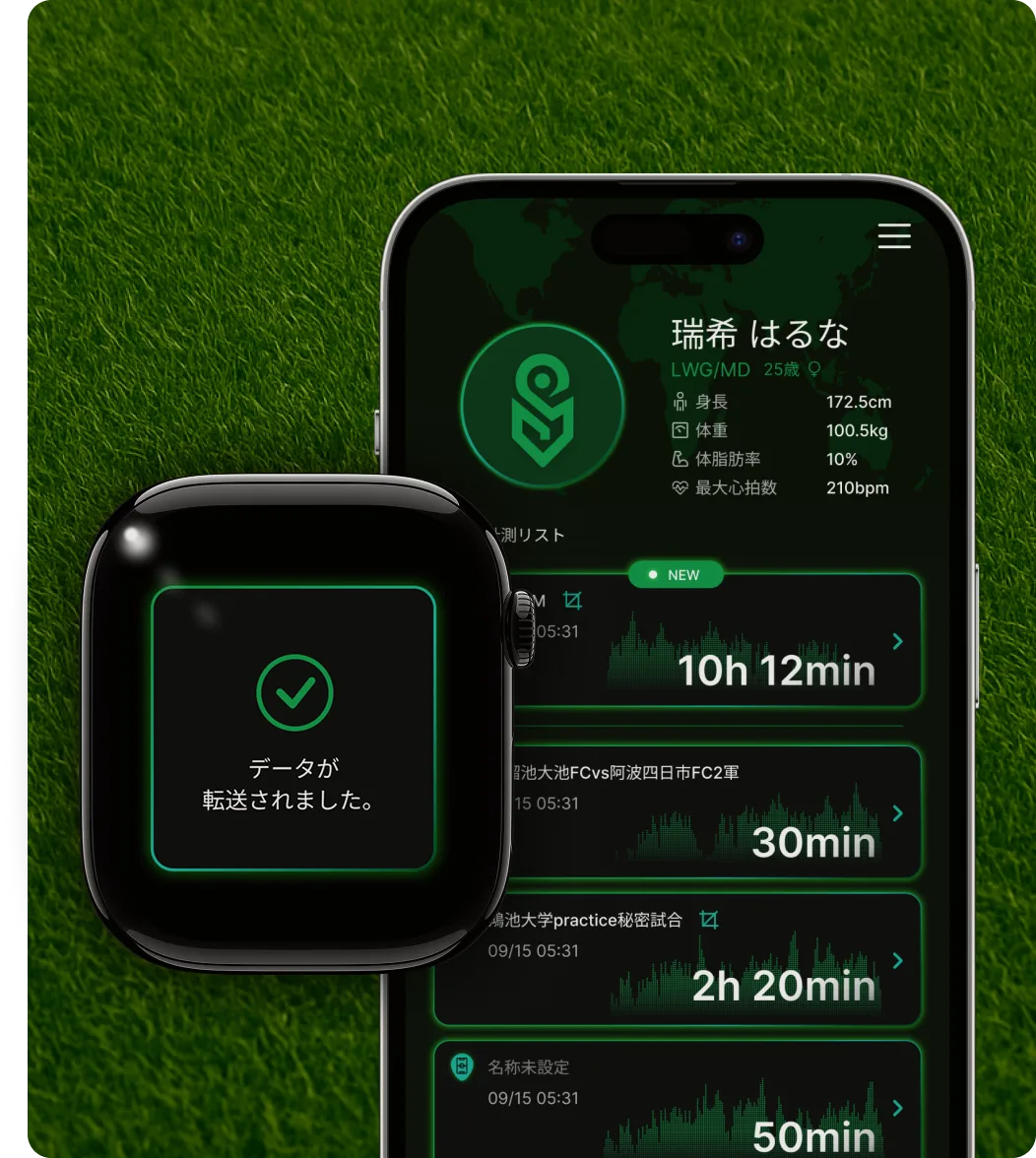
Watch data lands on your iPhone as clean charts and numbers — revealing what feel and video always miss.
STATSMAN feature 5
05. Data sharing
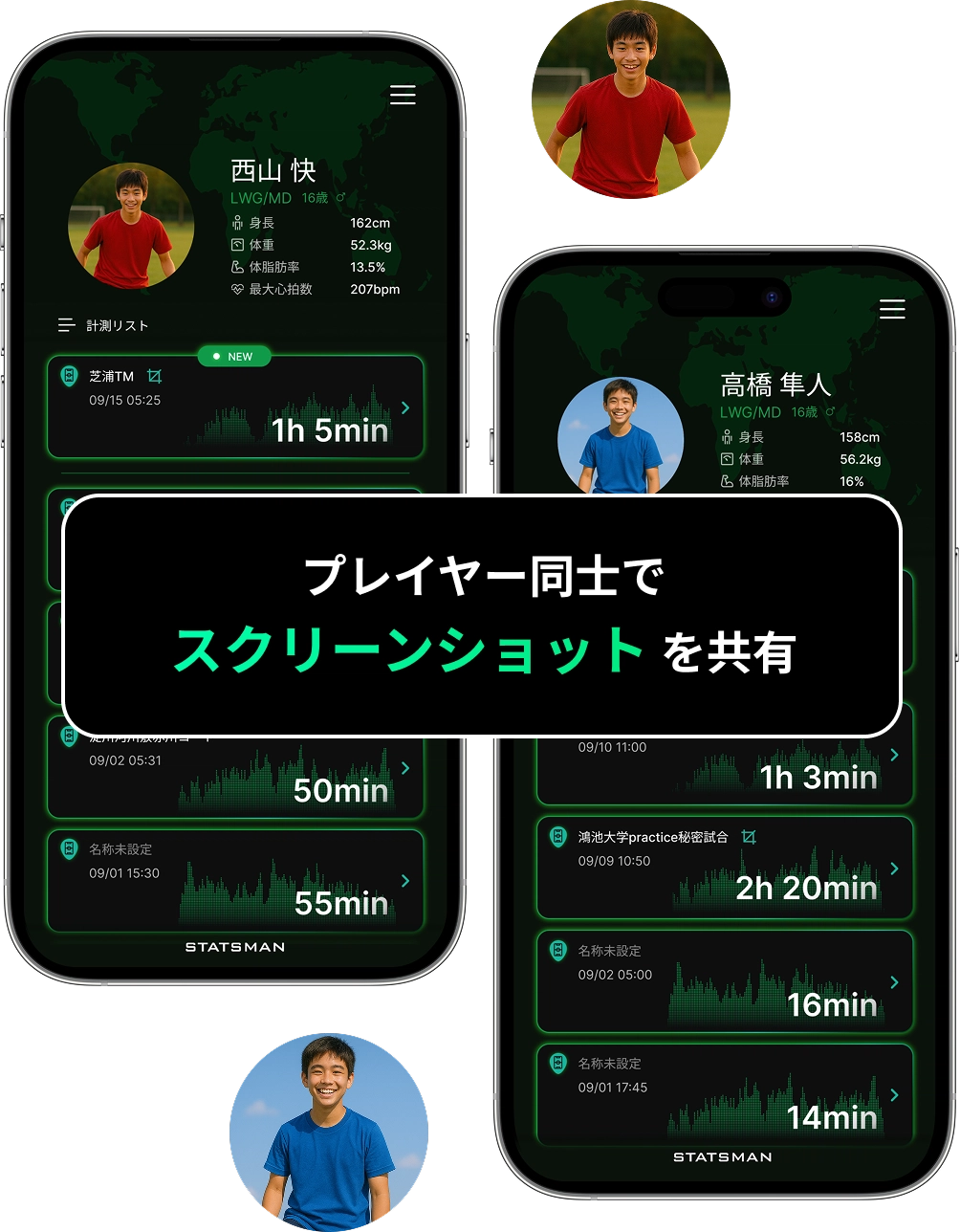
Show coaches and parents the real story. Get sharper advice — and bring it to the next match.
Group 1017
Group 1089
Info
An Apple device connection is required. ( Required devices _ iPhone & Apple Watch )
ABOUT US
About STATSMAN
STATSMAN

STATSMAN changes what’s possible.

Everything you need to break down a game, built in.
Analyze. Verify. Improve.
One app, zero friction.
Circle Point
00 SECONDS
Seconds Image
Seconds Image
15 SECONDS
Seconds Image
30 SECONDS
45 SECONDS
Seconds Image
STATSMAN Training Gear
FEATURES
Features
STATSMAN feature 1
01. What is STATSMAN
Apple Watch in the vest, and heart rate, workload, and GPS are captured — automatically.
STATSMAN feature 2
02. Interval selection
Zoom into the moments that matter — select up to four intervals from any session.
STATSMAN feature 3
03. Heatmap view
See the game, not just numbers — heatmaps show exactly where you played.
STATSMAN feature 4
04. Data display
Watch data lands on your iPhone as clean charts and numbers — revealing what feel and video always miss.
STATSMAN feature 5
05. Data sharing
Show coaches and parents the real story. Get sharper advice — and bring it to the next match.
Info
An Apple device connection is required.
( Required devices _ iPhone . Apple Watch )
Train smarter, not just harder
STATSMAN
Training Gear
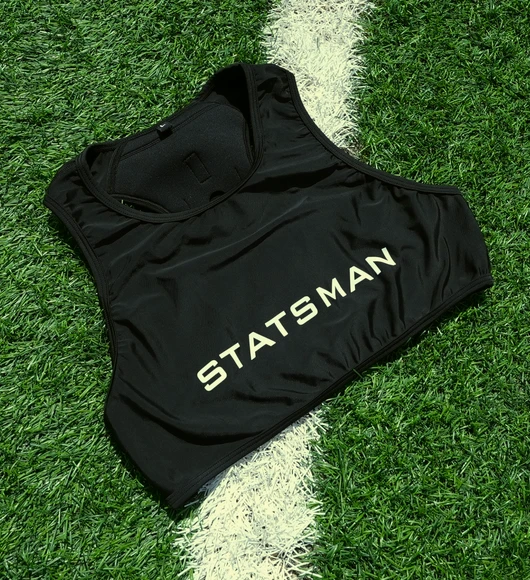
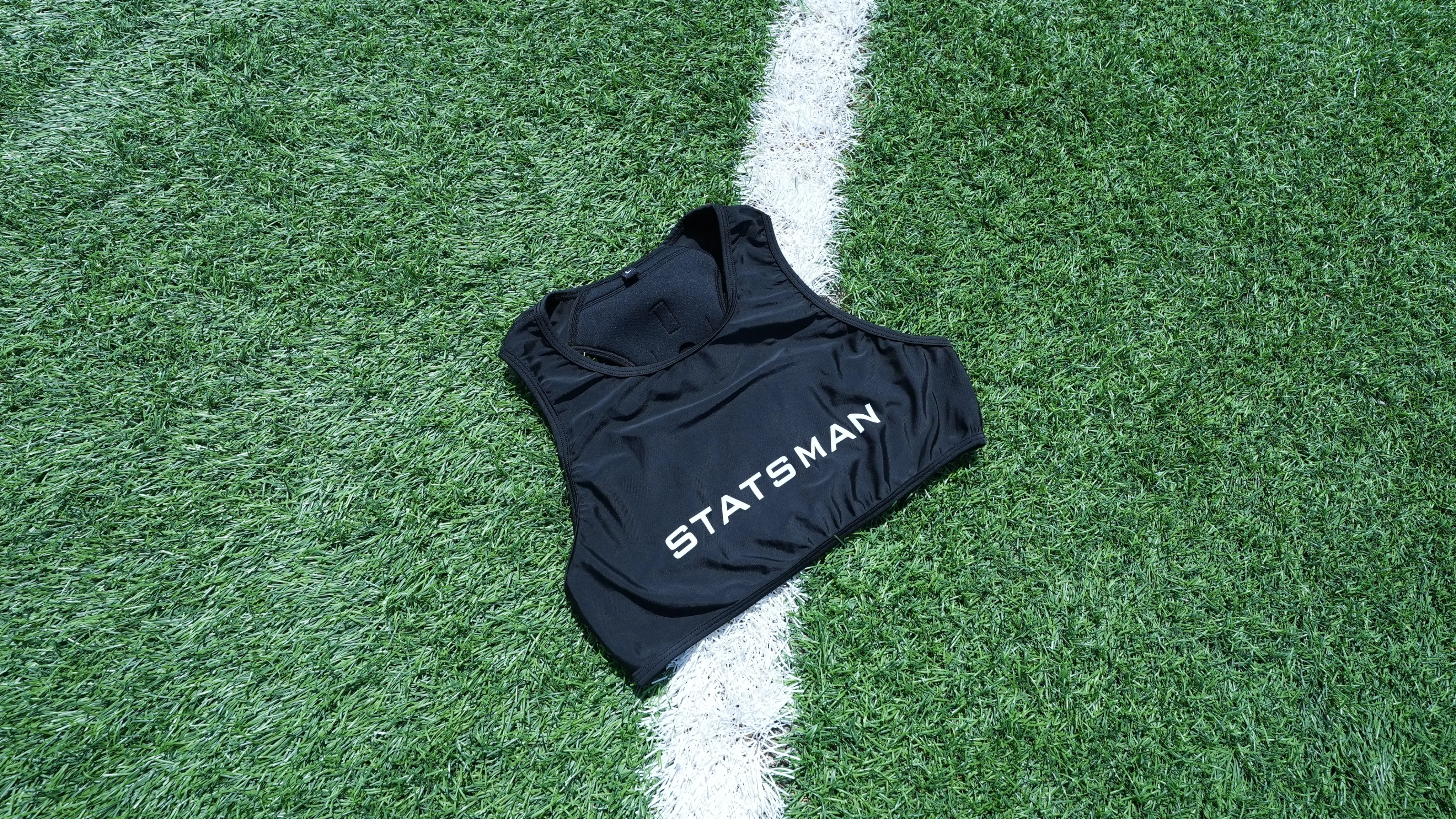
STATSMAN training vest
POINT.
1
A snug fit keeps the Watch rock-steady — for clean, reliable data.
POINT.
2
Nothing on the wrist: less strain, lower injury risk, no dropped devices.
POINT.
3
Heart rate, movement, distance — captured reliably, understood at a glance.
POINT.
4
When growth shows up in numbers, motivation takes care of itself.
BUY NOW
STATSMAN training vest
Train smarter, not just harder
STATSMAN
Training Gear
HOW TO USE

How to use
STATSMAN
— make it yours.
One app. The whole workflow.
Built for one player: yours.
Pro-level analysis, zero learning curve.
STEP
.1
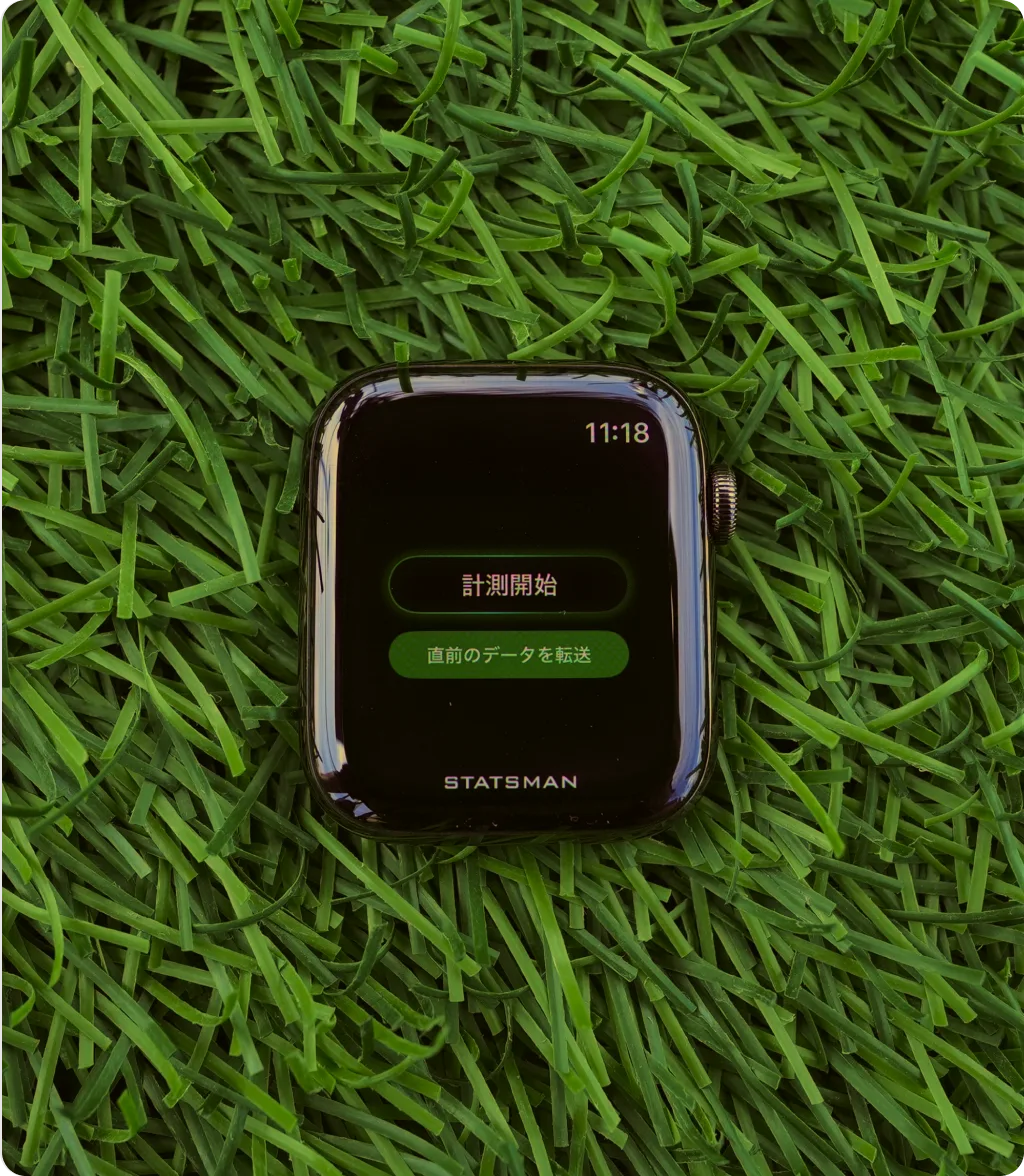
START
「 STATSMAN 」
Apple Watch app —
start measuring!
Launch the app as usual, slip the Watch into your vest, and your stats are on the way. Remove the watch band before you forget.
How to use — step 1
STEP
.2
SETTING
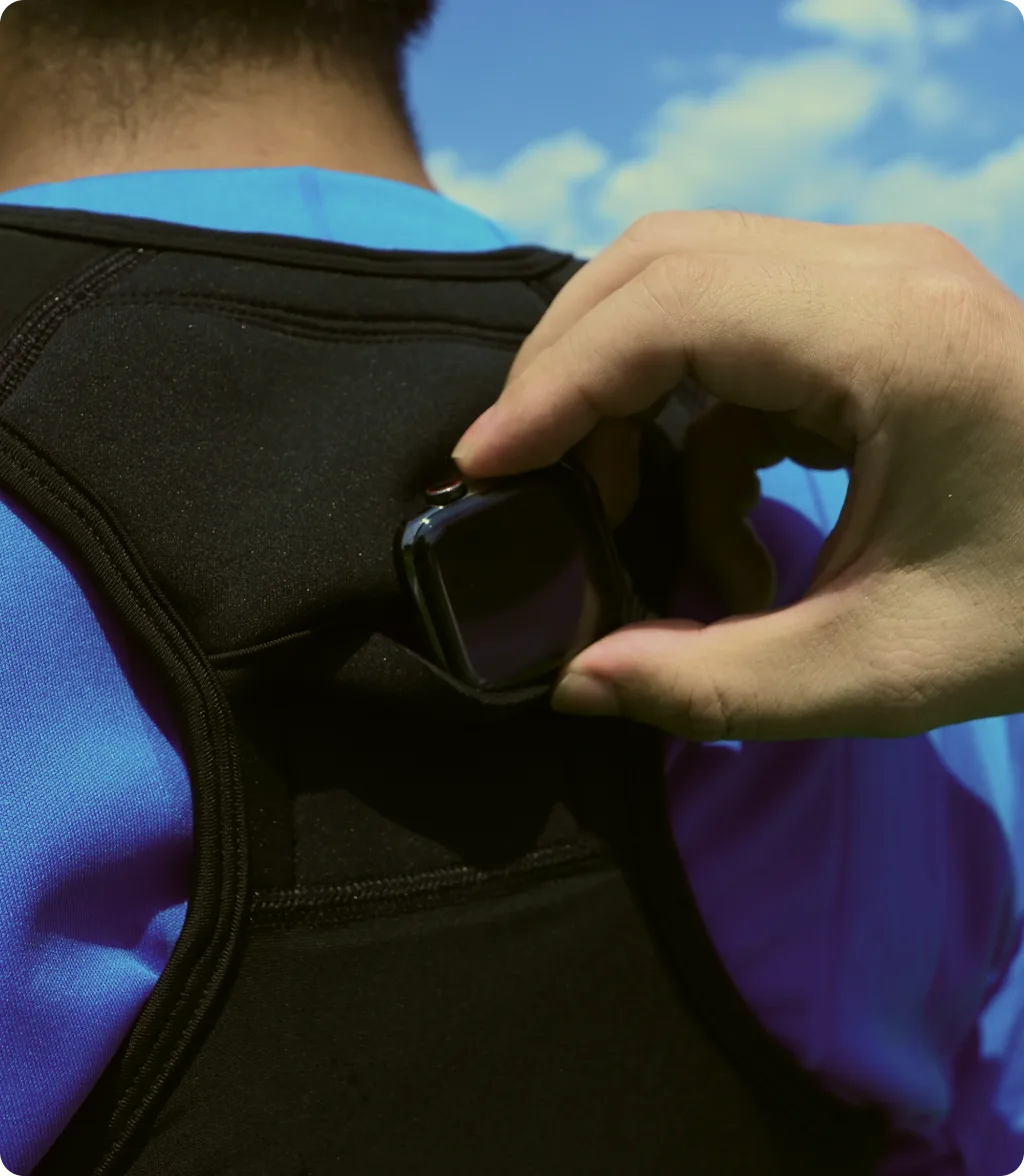
Apple Watch
Set it in the sports vest!
Wrist-worn watches can feel risky in contact sports. The dedicated vest keeps everyone safe — so you can focus on your game.
How to use — step 2
STEP
.3
TRACKING COMPLETE
After the game,
stop measuring!
Tap stop and your data is sent to the iPhone app. If sending fails, you can resend the last session manually.
How to use — step 3
STEP
.4
EDIT DATE
Edit your data!
Choose the play periods and
heatmap area
yourself!
Set segments like first and second half, and select only actual play time — skipping warm-ups, halftime, and breaks for sharper analysis.
How to use — step 4
STEP
.5
CHECK
the iPhone app
「 STATSMAN 」
— check
your data!
See coverage, distance, speed, and heart rate at a glance. Charts and numbers make your play clear — like spotting a second-half drop in distance, so goals are easy to set.
How to use — step 5
Info
An Apple device connection is required.( Required devices _ iPhone & Apple Watch )
HOW TO USE

How to use
STATSMAN
— make it yours.
One app. The whole workflow.
Built for one player: yours.
Pro-level analysis, zero learning curve.
Info
An Apple device connection is required.
( Required devices _ iPhone & Apple Watch )

REASONS

Why STATSMAN

Three reasons to start with confidence.
Free for 30 days

Every feature, free for 30 days. You are never charged until you say so.

Cancel anytime

One tap in the App Store. No charges after your renewal date — no strings attached.

Works off the grid

No signal? No problem. Measure on any pitch, anywhere.

FAQ

Does STATSMAN support smartwatches other than Apple Watch?

Apple Watch only for now (Series 4 or later and Apple Watch SE 1st generation or later; Series 6 or later and SE 2nd generation or later recommended). Garmin, Fitbit, and other smartwatches are not supported.

Do I need an iPhone?

Yes — STATSMAN works by pairing an iPhone with an Apple Watch. iOS 16 or later is supported.

Where is my data stored?

Data is stored on your iPhone and is never auto-uploaded or shared. It may be included in iCloud backups, tied safely to your own Apple ID.

VIEW ALL
CONTACT

Contact
CONTACT

Contact
Train smarter, not just harder
STATSMAN
Training Gear
STATSMAN training vest
POINT.
1
A snug fit keeps the Watch rock-steady — for clean, reliable data.
POINT.
2
Nothing on the wrist: less strain, lower injury risk, no dropped devices.
POINT.
3
Heart rate, movement, distance — captured reliably, understood at a glance.
POINT.
4
When growth shows up in numbers, motivation takes care of itself.
BUY NOW
STATSMAN training vest
Train smarter, not just harder
STATSMAN
Training Gear
Try STATSMAN now — no download
STATSMAN
Your growth, on the record.Turn every match into a keepsake.
Scroll Indicator Download on the App Store
Close banner
Close banner
STATSMAN
Your growth, on the record.
Turn every match into a keepsake.
Download on the App Store